
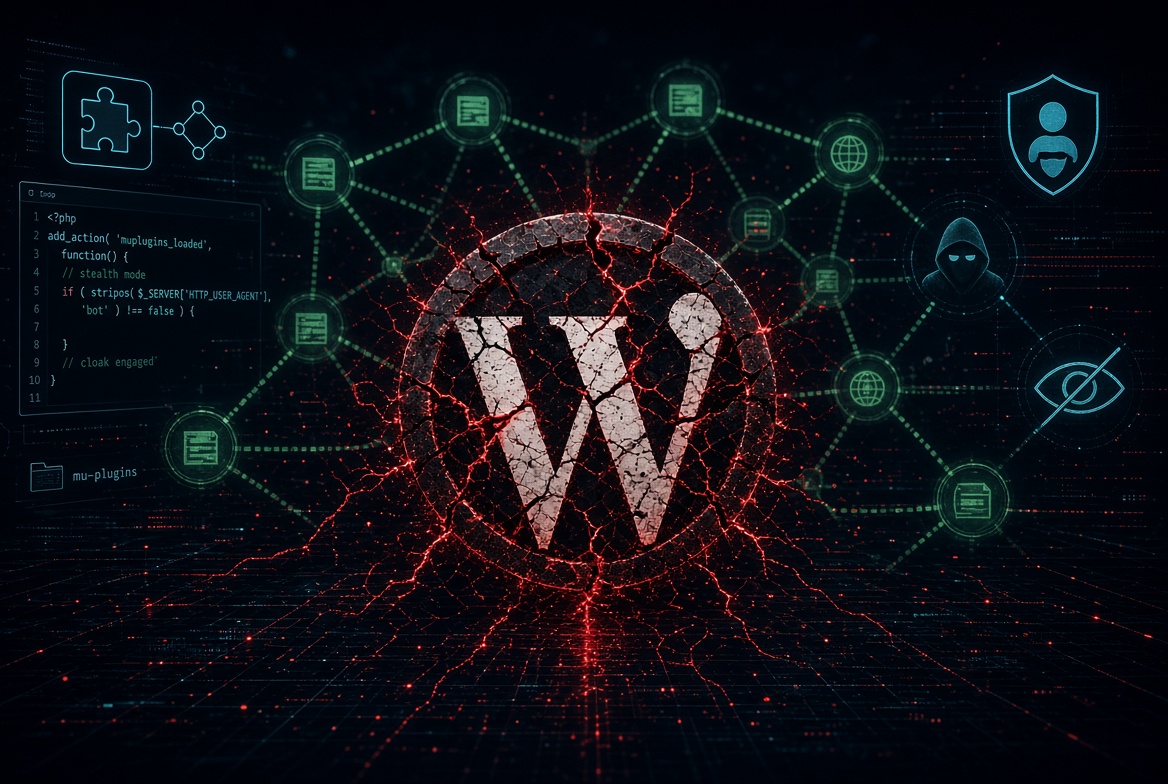
If you don’t update WordPress and continue to use deprecated plugins/themes, look on the bright side: someday you will get a masterclass in how actual WordPress hacking, Private Blog Networks (PBNs), cloaking, blackhat SEO, backlinks work under the hood.
Instead of reading textbooks, you get to analyze live malware running directly on your server. Let’s break down the anatomy of a real-world infection “SEO MU-Plugin Optimizer” and see how it hijacks your hard-earned domain authority without you or your visitors ever noticing.
GLOSSARY
PBN (Private Blog Network): A network of websites controlled by a person or organization, typically used to artificially manufacture link authority and manipulate search-engine rankings.
Cloaking: A deceptive search engine optimization (SEO) tactic where the content presented to search engine crawlers (like Googlebot) is completely different from the content served to human visitors.
Output Buffering (ob_start): A PHP mechanism that tells the server to hold processed HTML output in its internal memory buffer instead of sending it directly to the visitor’s browser. This allows scripts to modify or intercept the final page markup programmatically.
Must-Use (MU) Plugins: WordPress plugins installed in the wp-content/mu-plugins/ directory. They are automatically loaded by WordPress and cannot be deactivated from the WordPress Plugins admin panel.
WordPress Transient: A built-in API utilized to store cached, temporary data in the database with a designated expiration time frame. This prevents slow, repetitive API calls or server processing timeouts on every page refresh.
DOM (Document Object Model): The structured logical data tree of a web page constructed in browser memory. Modern search engine crawlers index the fully rendered DOM after running JavaScript rather than simply analyzing the raw, static HTML code.
Internal Rewrite: An Apache server routing behavior configured in .htaccess that transparently switches the content of a URL behind the scenes. Unlike a 301/302 Redirect, the user or bot’s browser address bar does not change, keeping the switch invisible to standard network monitors.
How Malware is Activated: add_action & ob_start
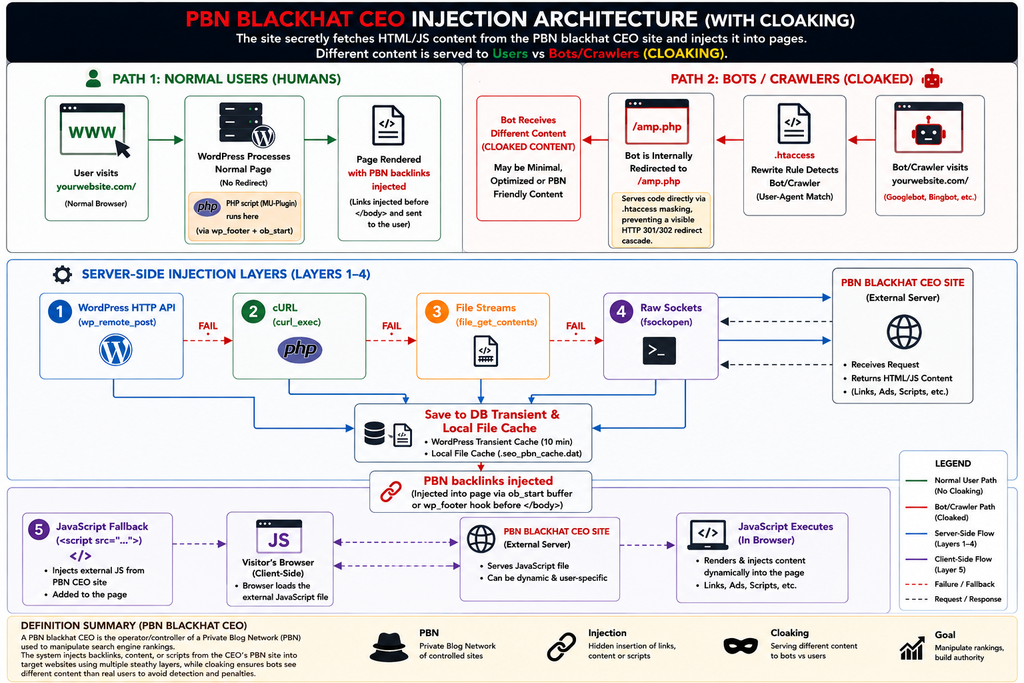
The malware hooks silently into the latter stages of the WordPress execution cycle using the native wp_footer hook, assigning it an extreme priority of 99999 so it fires very late relative to other callbacks on that hook.
//
add_action("wp_footer", "xxx", 99999);
//
Additionally, PHP Output Buffering (ob_start) is used to intercept the generated HTML response before it is sent to the visitor’s browser. The malware inspects the buffered HTML, locates the closing </body> tag, and injects a payload containing hidden backlinks.
The payload is wrapped in a container deliberately positioned off-screen using CSS:
<!-- -->
<div class="b-lnks" style="position: absolute; left: -9999px; top: -9999px; opacity: 0;">
    <!-- injected backlinks -->
</div>
<!-- -->
How Backlinks Are Retrieved & Injected: The 5-Layer Fallback Chain
To keep the backlink network functional even on heavily locked-down or restricted hosting environments, the script uses an aggressive 5-layer fallback mechanism to communicate with its PBN infrastructure:
- Layer 1: The WordPress HTTP API (
wp_remote_post) – The primary delivery channel, executing with disabled SSL certificate validation (sslverify => false) to bypass basic security. - Layer 2: Native PHP cURL (
curl_exec) – A fallback mechanism using PHP’s native cURL functionality. The script checks the server’sdisable_functionsconfiguration before attempting to execute raw cURL queries. - Layer 3: File Stream Contexts (
file_get_contents) – Another fallback mechanism, configuring PHP’s file-stream functionality for outbound HTTP requests viastream_context_create. - Layer 4: Raw Low-Level Sockets (
fsockopen) – A raw TCP network stream. It manually constructs an HTTP request and communicates with the remote server through the resulting TCP stream. - Layer 5: Client-Side DOM Injection (The Browser Fallback) – If all four server-side layers fail due to hosting egress blocks, the script drops a deferred script tag (
<script src="...">) onto the page. When a browser or search engine’s rendering system executes the injected JavaScript, the script can request the remote payload and insert the returned links into the live DOM.
What to Do With This | Remediation
If your server has turned into a host for unauthorized PBN infrastructure, follow these steps to sanitize the environment:
1. Repair Server Rules (.htaccess)
Identify and remove the malicious User-Agent interception and rewrite rules, while preserving legitimate custom .htaccess configuration. Restore it to the standard, clean WordPress configuration block.
2. Clean the Files
Connect via terminal and remove the malicious script and any associated local fallback cache files used by the malware.
#
grep -rn "pbn" public_html/
ls -la wp-content/mu-plugins/
ls -la wp-content/uploads/
#
Because malware can obfuscate strings such as _pbn_, URLs, function names, or configuration values using Base64, hexadecimal encoding, or string concatenation, don’t rely exclusively on keyword searches. Also look for the functional footprints the malware uses to initialize, communicate with remote infrastructure, and inject content.
3. Clear Database Remnants
The script caches its links inside your transient metadata records to minimize server performance footprint. Search the relevant options and transient data for confirmed malicious domains, URLs, plugin names, and payloads, and remove the malicious records.
4. Check Admin Users / Change Passwords
PBN malware often creates rogue admin accounts or backdoor access to maintain persistence.
Leave a Reply